> For the complete documentation index, see [llms.txt](https://docs.gpmautomate.com/llms.txt). Markdown versions of documentation pages are available by appending `.md` to page URLs; this page is available as [Markdown](https://docs.gpmautomate.com/automate-en/action-guide/phone-case/execute-command.md).
# Execute CMD
Run a shell command inside the device (via adb shell) and save the result to a variable.
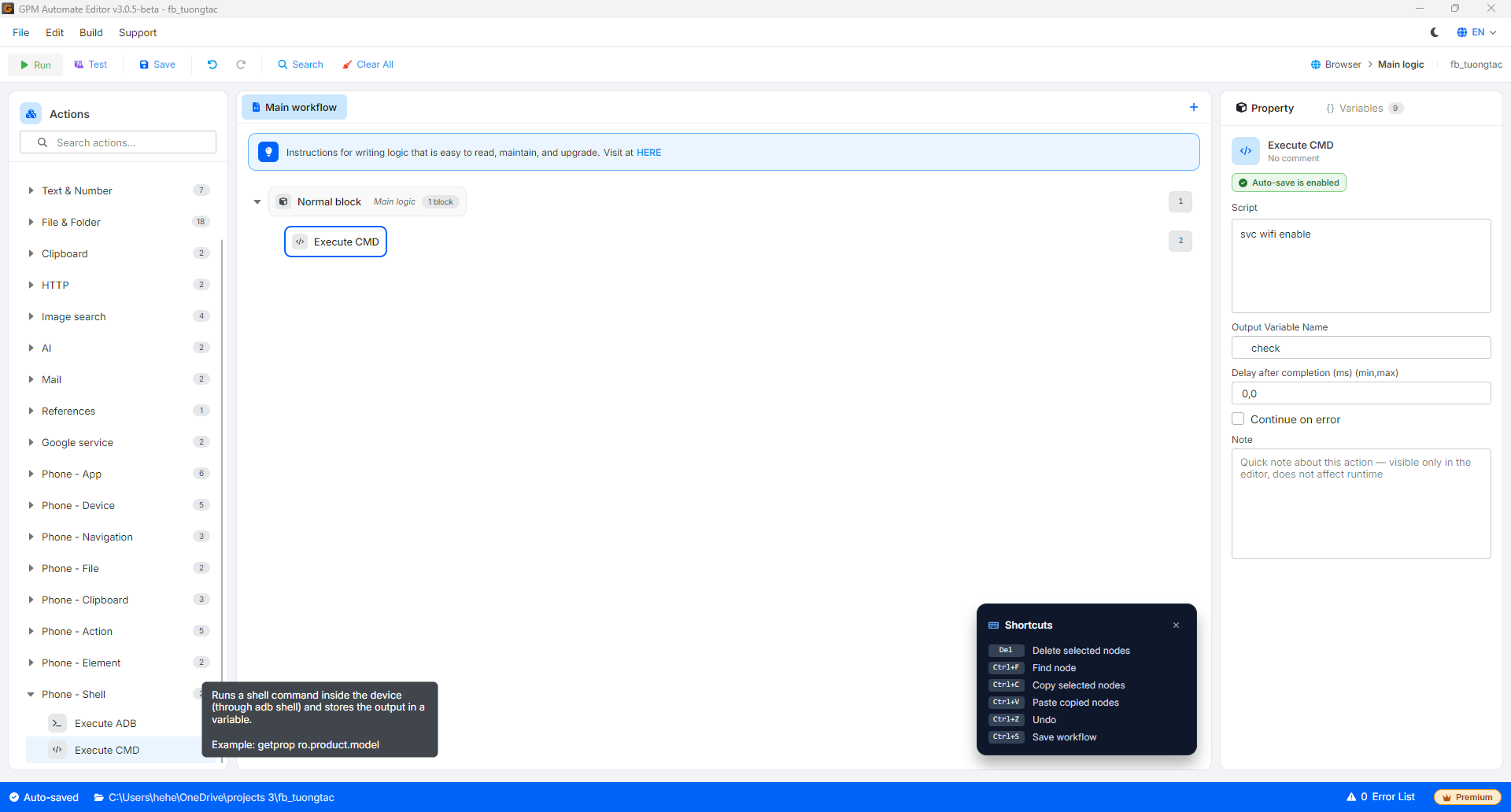
Execute CMD is the action of running a shell command **inside** the device (through `adb shell`) and saving the returned result to a variable. Enter the command **without** the prefix `adb shell` — the software will automatically add it. Unlike Execute ADB (which runs adb commands on the computer), Execute CMD runs the shell command directly on the Android operating system of the device.
🎥 Watch the tutorial video: [Here](https://youtu.be/03NWE3RaSAc).
#### Explanation of configuration parameters:
* Script: The shell command to run on the device (without `adb shell`), for example `svc wifi enable` or `getprop ro.product.model`.
* Output Variable Name: The name of the variable to store the returned result, for example `check`.
---
# Agent Instructions
This documentation is published with GitBook. GitBook is the documentation platform designed so that both humans and AI agents can read, navigate, and reason over technical content effectively. Learn more at gitbook.com.
## Querying This Documentation
If you need additional information that is not directly available in this page, you can query the documentation dynamically by asking a question.
Perform an HTTP GET request on the current page URL with the `ask` query parameter, and the optional `goal` query parameter:
```
GET https://docs.gpmautomate.com/automate-en/action-guide/phone-case/execute-command.md?ask=&goal=
```
`ask` is the immediate question: it should be specific, self-contained, and written in natural language.
`goal` is optional and describes the broader end goal you are ultimately trying to accomplish on behalf of the user. GitBook uses it to tailor the answer towards what is most useful for that goal.
The response will contain a direct answer to the question and relevant excerpts and sources from the documentation.
Use this mechanism when the answer is not explicitly present in the current page, you need clarification or additional context, or you want to retrieve related documentation sections.