> For the complete documentation index, see [llms.txt](https://docs.gpmautomate.com/llms.txt). Markdown versions of documentation pages are available by appending `.md` to page URLs; this page is available as [Markdown](https://docs.gpmautomate.com/automate-en/general-introduction/what-is-gpm-automate.md).
# 🔥What is GPM Automate?
#### 🔥 What is GPM Automate? In simple terms
Imagine GPM Automate as a tool that helps your computer automatically do everything for you on the GPM Login browser. Instead of having to manually click, type, and scroll to do MMO, Crypto Airdrop, account management, Dropshipping... you just need to command the machine to run in bulk across hundreds of profiles simultaneously.
This software suite is divided into 2 independent parts, depending on your needs to choose the appropriate part:
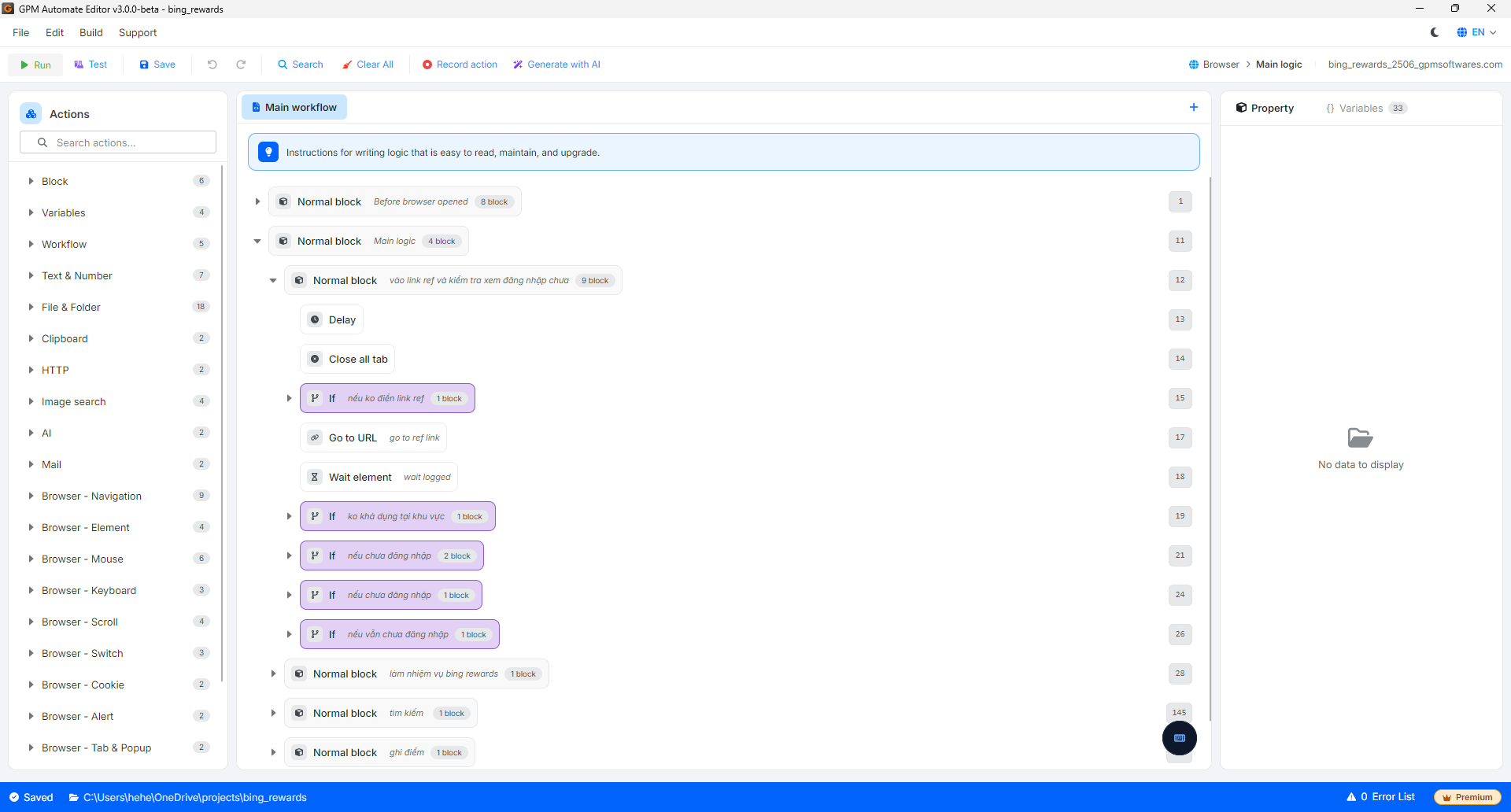
**🛠️ GPM Automate Editor – For those who want to WRITE their own tools**
* Purpose: It is a place for you to creatively design and drag-and-drop actions to create an automated script according to your preferences.
* Output: If you use the free version, you will export a source folder for personal use. If you use the paid version, you will package the script into a single encrypted file called `.gpmlaunch` to sell for profit or share without worrying about exposing the code.
**🚀 GPM Automate Runtime – For those who ONLY WANT TO RUN tools (Free)**
* Purpose: This runner does not have code editing functions. Its sole task is to load the script and activate it to run automatically on GPM Login profiles.
* Target audience: If you purchase a script/file `.gpmlaunch` from someone else or buy it on the application marketplace [app.gpmautomate.com](https://app.gpmautomate.com), you only need to use this Runtime part to open and run the file, without needing to worry about the Editor part.
---
# Agent Instructions
This documentation is published with GitBook. GitBook is the documentation platform designed so that both humans and AI agents can read, navigate, and reason over technical content effectively. Learn more at gitbook.com.
## Querying This Documentation
If you need additional information that is not directly available in this page, you can query the documentation by asking a question.
Perform an HTTP GET request on the following URL with the `ask` and `goal` query parameters:
```
GET https://docs.gpmautomate.com/automate-en/general-introduction/what-is-gpm-automate.md?ask=&goal=
```
`ask` is the immediate question: it should be specific, self-contained, and written in natural language.
`goal` is what the user is ultimately trying to achieve, the reason they need the answer. Sharing it helps GitBook give you a better, more relevant answer. A goal is most helpful when it describes the outcome the user wants rather than restating the question. For example, with `ask=how do I create an API token`, a goal like `automate deployments from our CI pipeline` lets GitBook tailor the answer to that use case.
The response will contain a direct answer to the question and relevant excerpts and sources from the documentation.
Use this mechanism when the answer is not explicitly present in the current page, you need clarification or additional context, or you want to retrieve related documentation sections.