> For the complete documentation index, see [llms.txt](https://docs.gpmautomate.com/llms.txt). Markdown versions of documentation pages are available by appending `.md` to page URLs; this page is available as [Markdown](https://docs.gpmautomate.com/automate-zh/action-shi-yong-zhi-nan/variables/count.md).
# Count
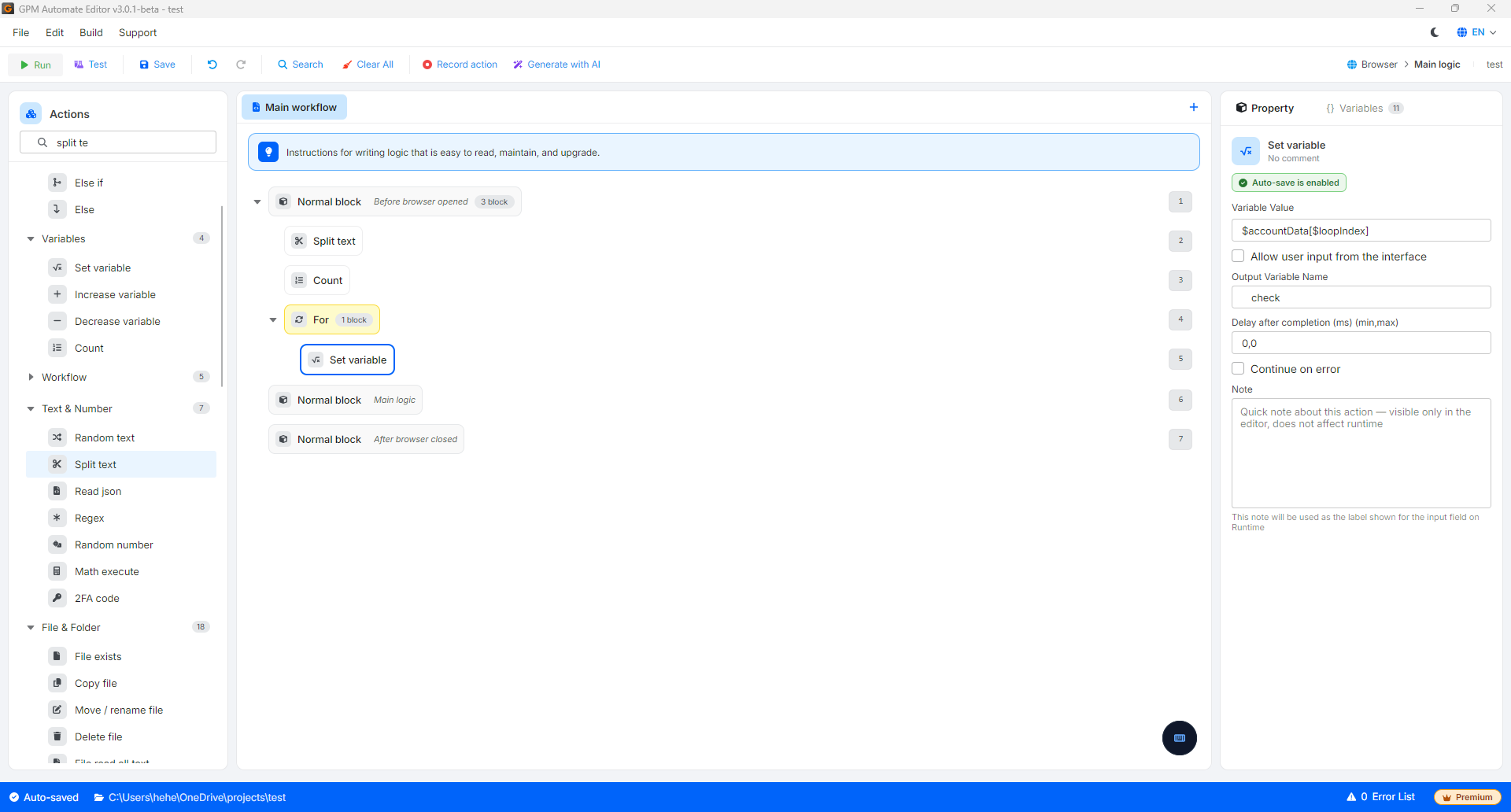
Count 是用于计算一维数组(或数据列表)中元素数量并返回一个数值的操作。当您需要在处理数据之前检查数据大小或为循环设置限制时,此操作非常有用。
🎥 观看更多教学视频:[点击此处](https://youtu.be/nlEQsaxawt4)。
常见的实际应用场景包括:
#### 1. 统计文本文件(Text)的行数
当您需要知道一个 text 文件(包含账号列表、proxy、文章等)总共有多少行时:
* 做法:使用 File read all lines 操作读取文件中的所有行到一个变量列表中,然后使用 Count 操作统计该列表。返回的值即为该文件的总行数。
#### 实际示例:统计文件 `D:\2.txt` 中 Facebook 链接的数量
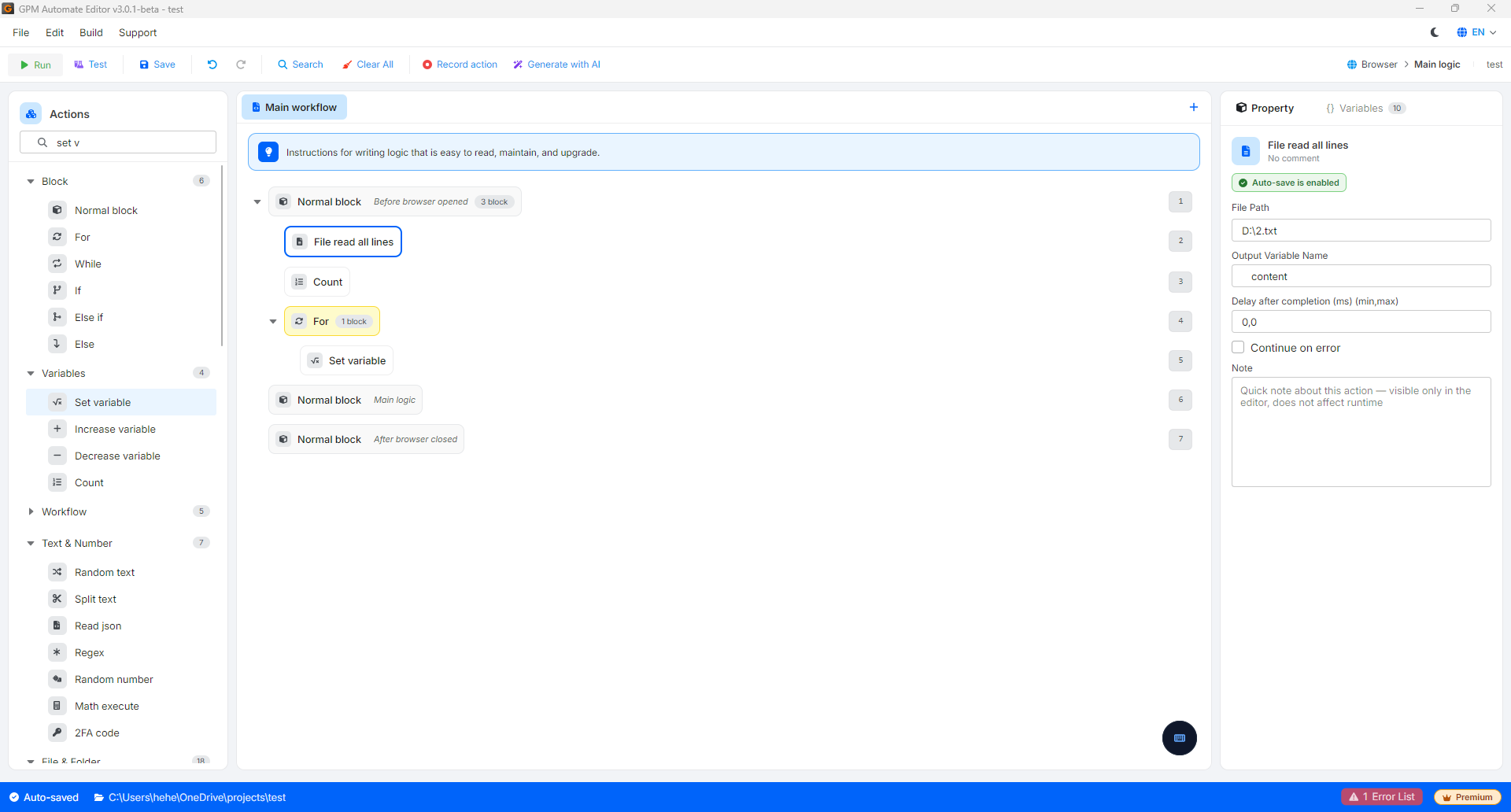
假设您有一个存储 Facebook profile 链接列表的文件,路径为 `D:\2.txt`,内容共有 9 行,如下所示:
```
https://www.facebook.com/nguyenvana
https://www.facebook.com/leminhc
...
https://www.facebook.com/demo.account99
```
为了统计该文件中的总行数并提取每一个链接,脚本将通过 2 个步骤配置:
* 第 1 步:使用 File read all lines 操作读取文件 `D:\2.txt`。返回的结果将被保存到一个名为 `$content` 的数组(列表)中。此时系统会自动理解为:
* `$content[0]` = `"https://www.facebook.com/nguyenvana"`(第 1 行)
* `$content[1]` = `"https://www.facebook.com/leminhc"`(第 2 行)
* ...
* `$content[8]` = `"https://www.facebook.com/demo.account99"`(第 9 行)
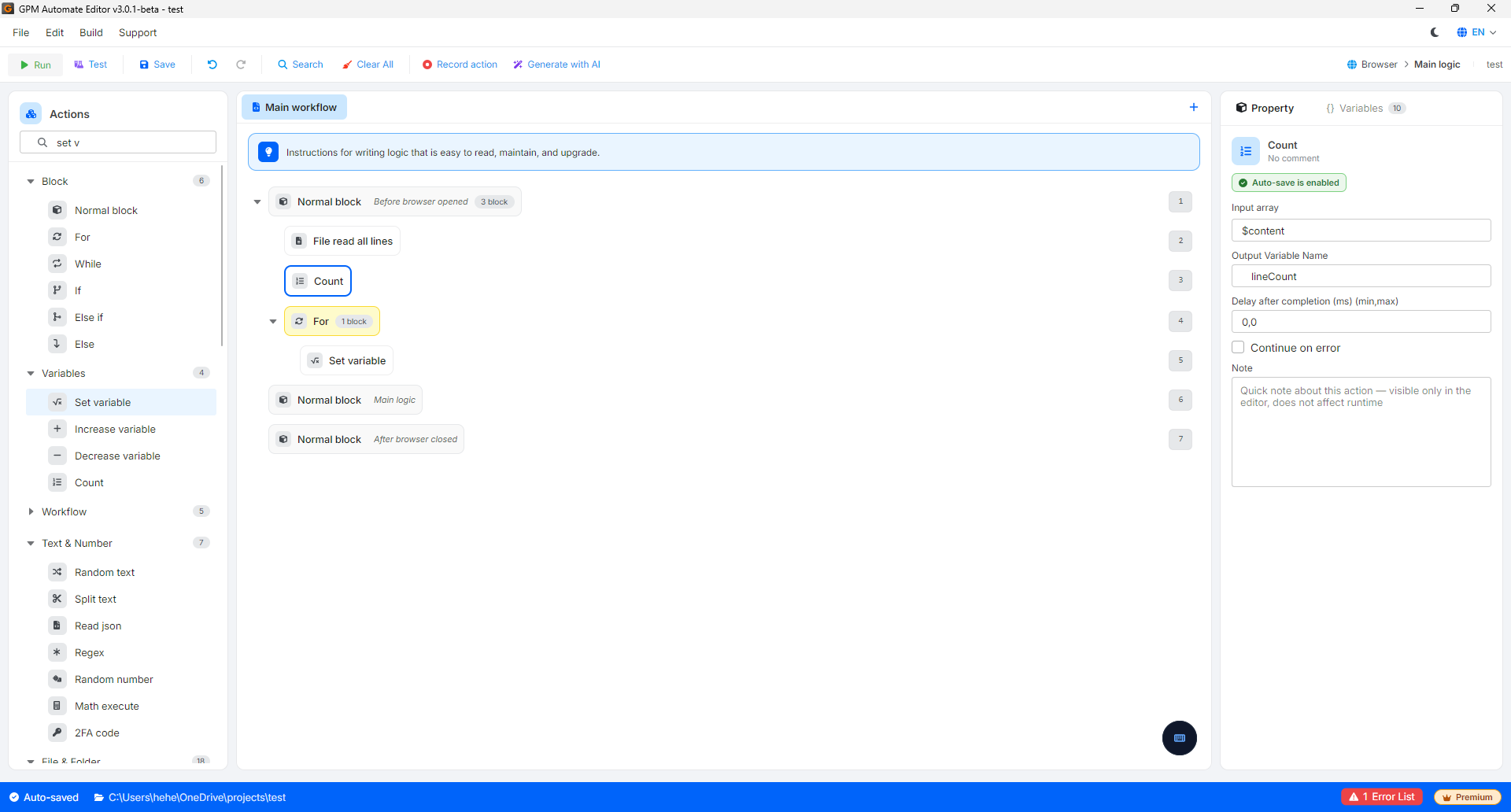
* 第 2 步:使用 Count 操作,传入刚刚读取的数组 `$content`,并将输出变量(Output variable)命名为 `$lineCount`。
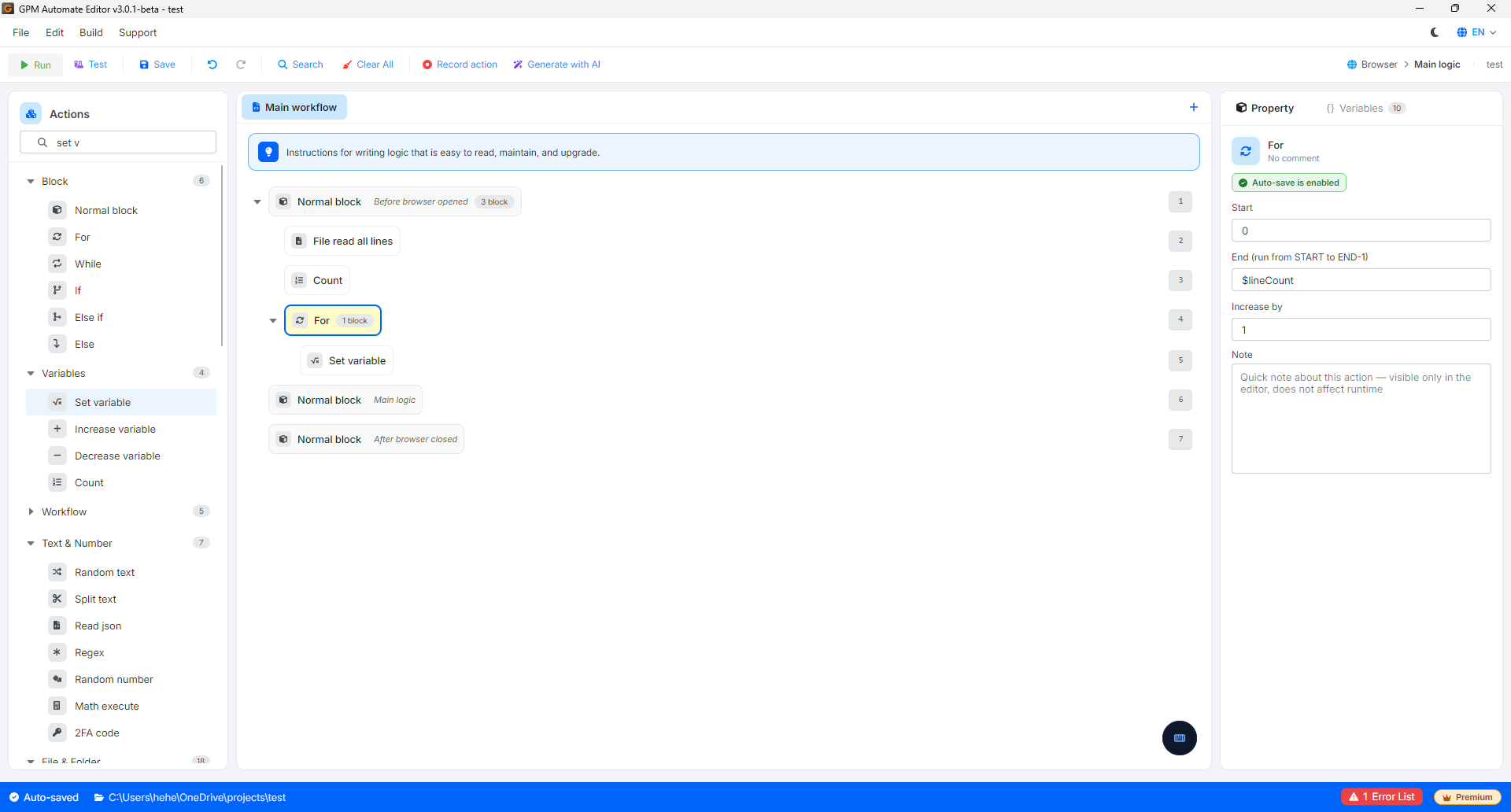
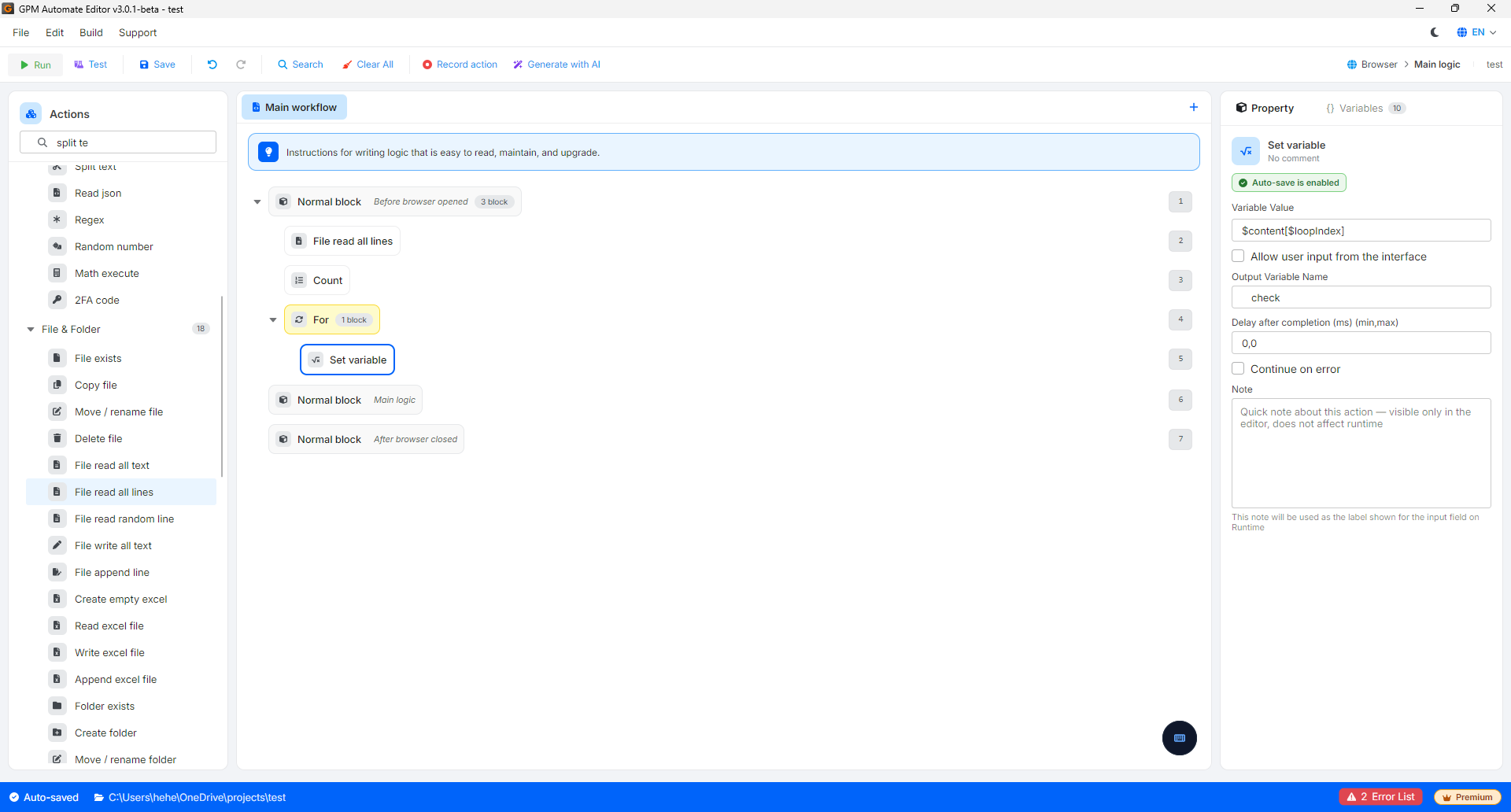
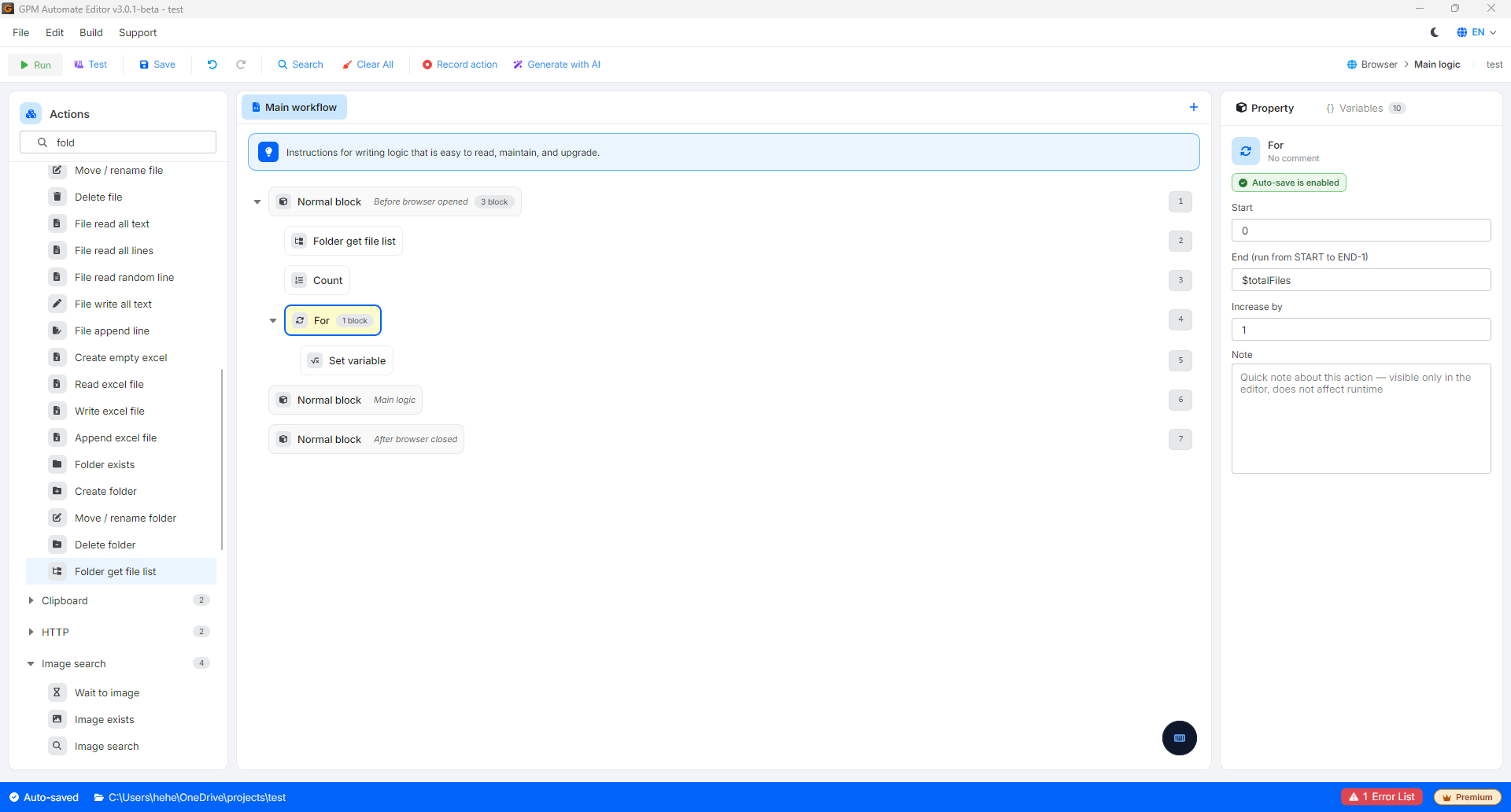
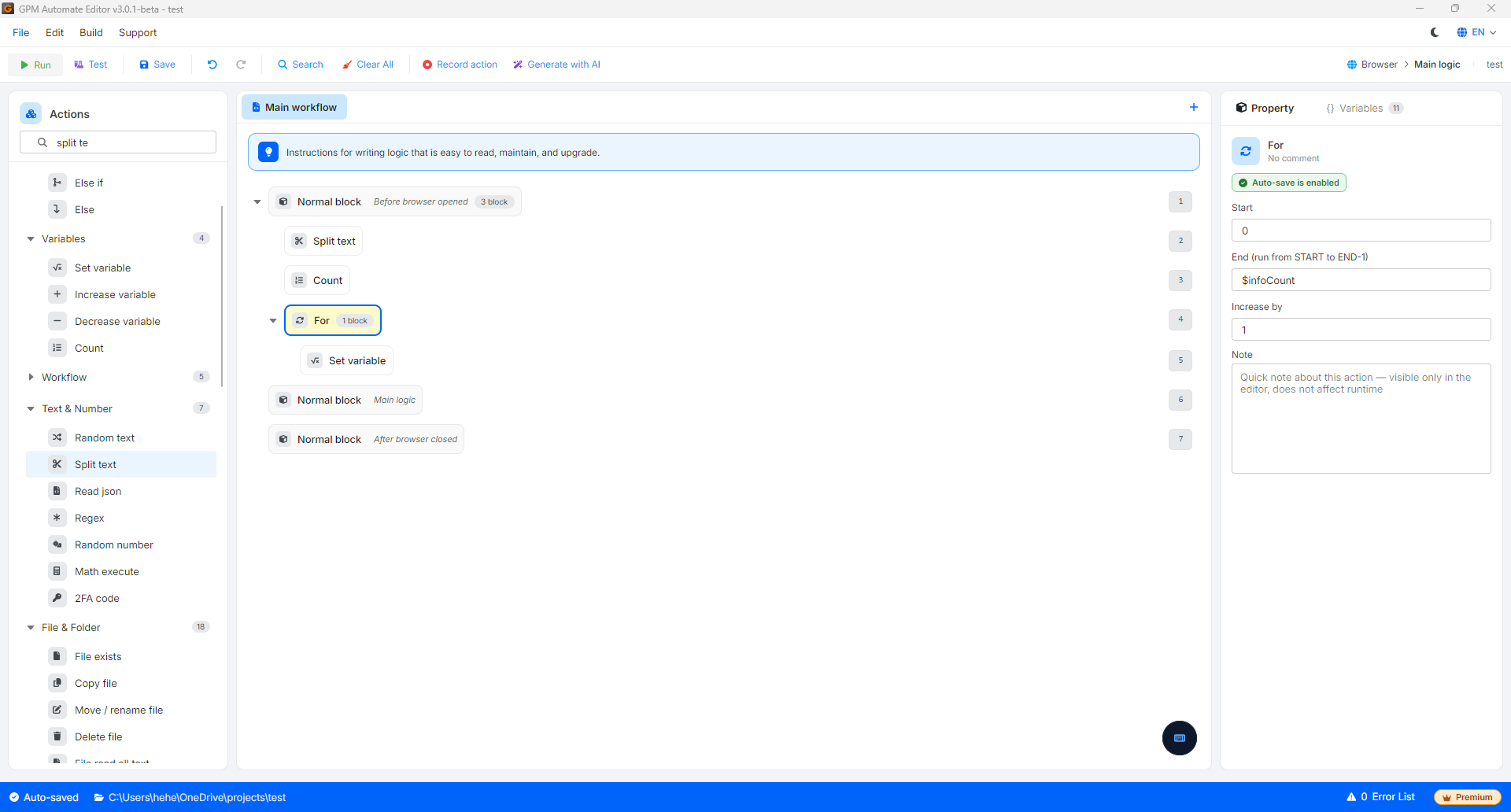
运行完成后,变量 `$lineCount` 将获得值 `9`。您可以立即使用这个 `$lineCount` 变量作为 For 循环的 End 参数,以便自动依次打开每一个 Facebook profile 进行操作。
#### 2. 统计文件夹(Folder)中的文件数量
当您需要检查计算机上某个文件夹中现有的图片、视频或文档数量时:
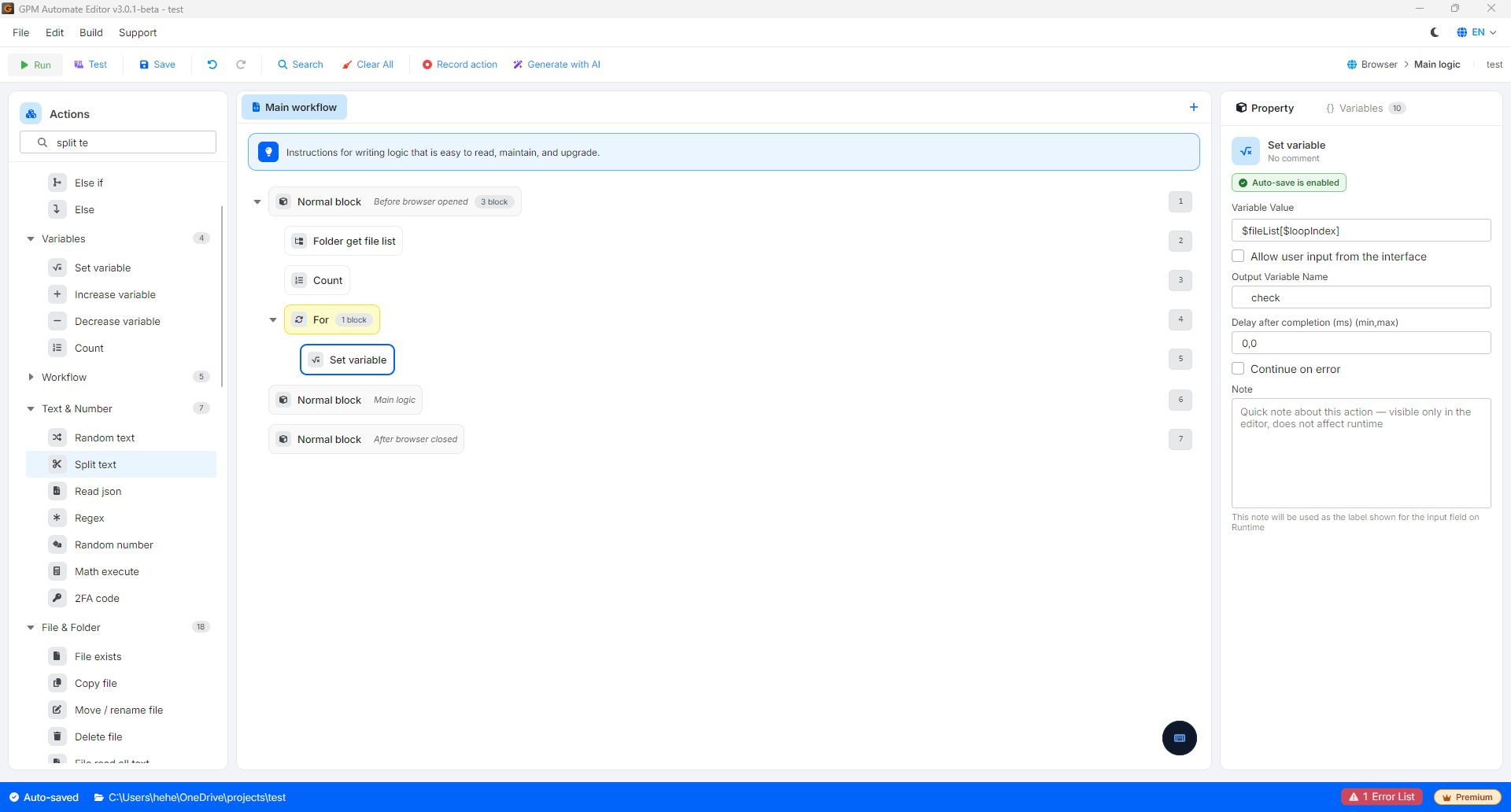
* 做法:使用 Folder get file list 操作取出所有文件的列表,然后使用 Count 操作即可准确知道该文件夹中包含多少个文件。
#### 实际示例:统计文件夹 `D:\bds\cat bi\` 中房地产图片的数量
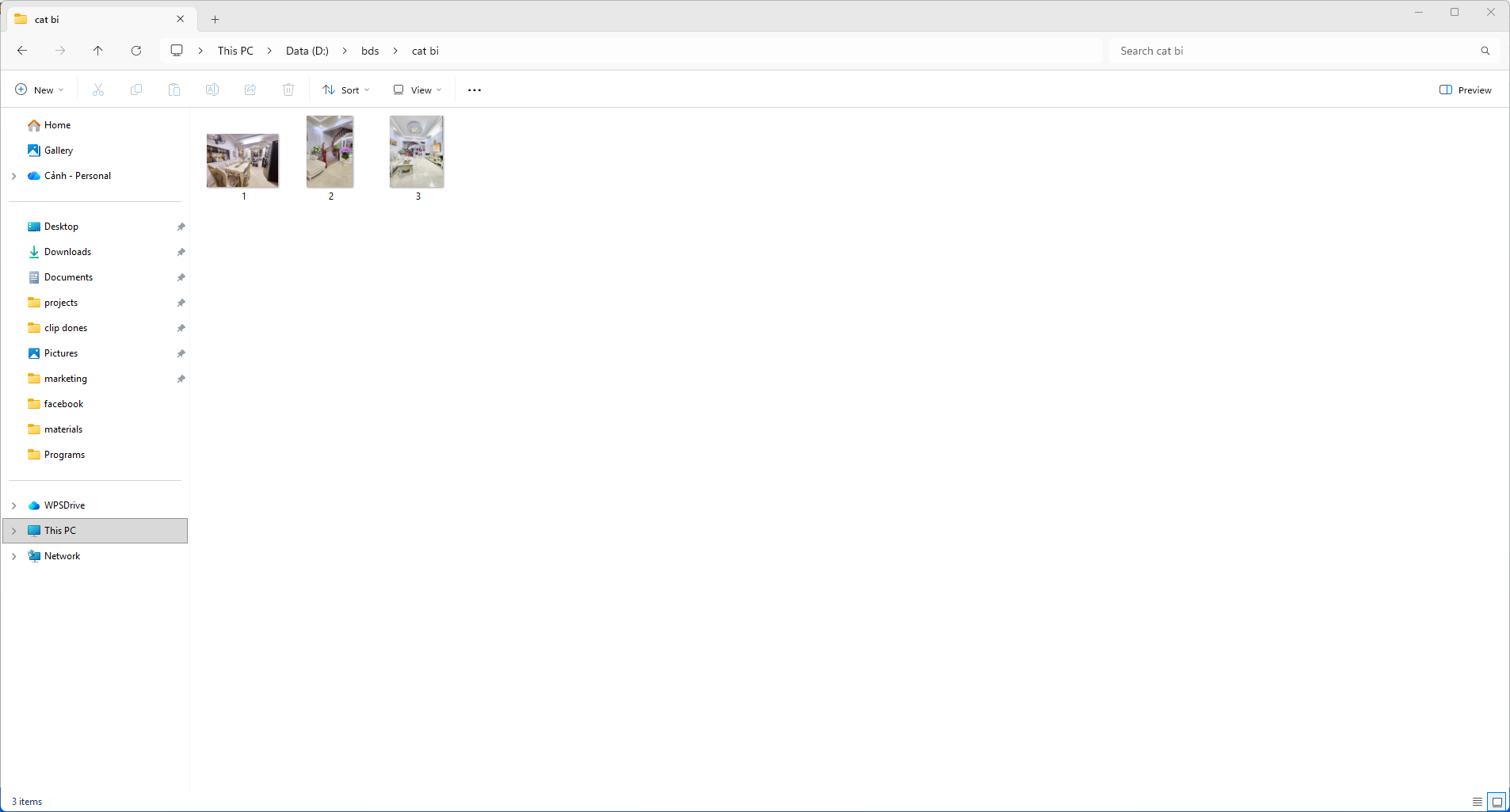
假设您有一个存储房地产照片的文件夹,路径为 `D:\bds\cat bi\`,其中包含 3 个以简洁命名方式命名的图片文件,如下所示:
* `1.jpg`
* `2.jpg`
* `3.jpg`
为了统计有多少张图片文件用于自动发帖,脚本将通过 2 个步骤配置:
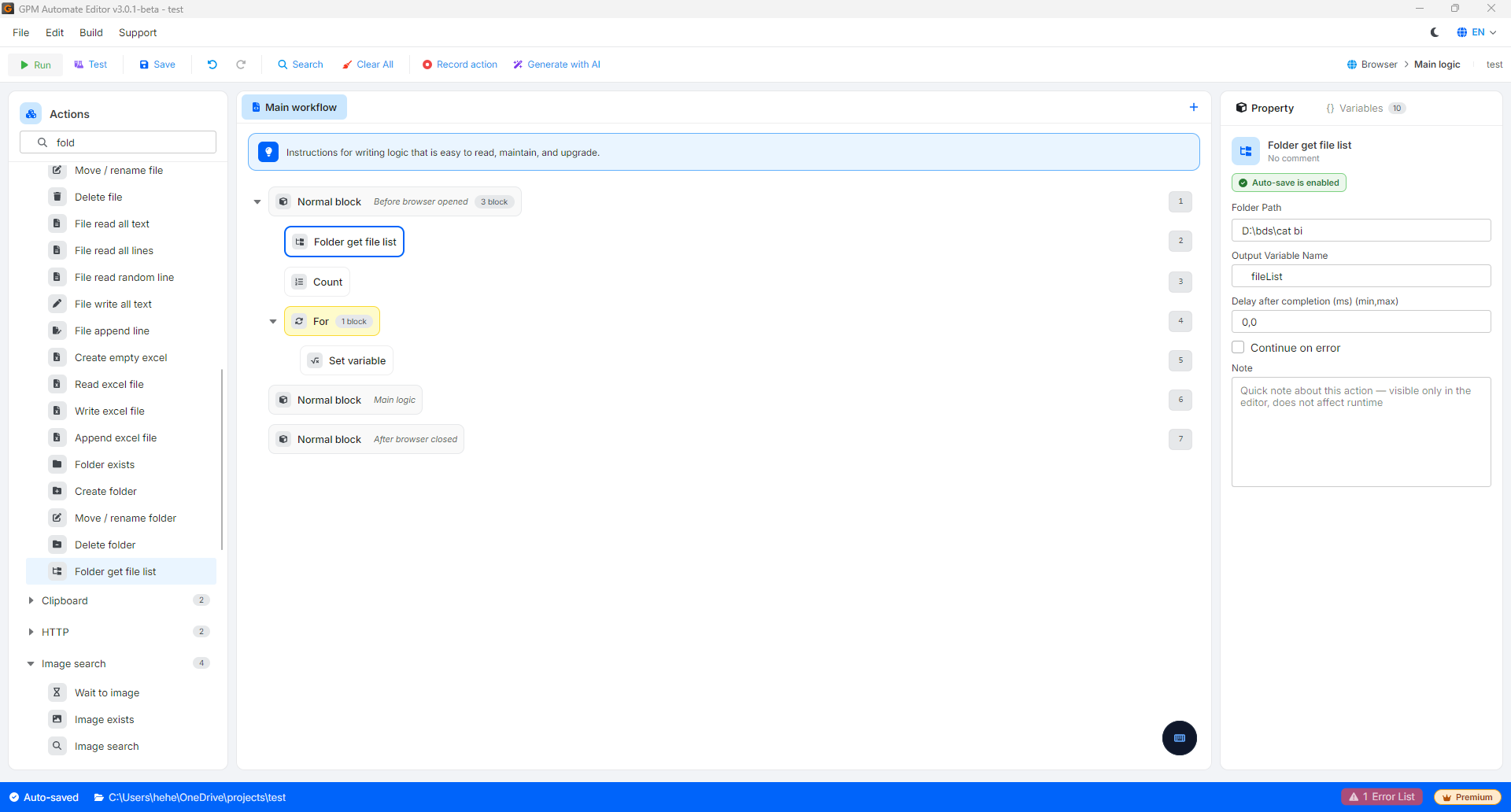
* 第 1 步:使用 Folder get file list 操作指向文件夹路径 `D:\bds\cat bi\`。系统将扫描该文件夹并返回一个包含所有文件路径的数组,保存到名为 `$fileList` 的变量中。此时数组数据将自动被赋值为:
* `$fileList[0]` = `"D:\bds\cat bi\1.jpg"`
* `$fileList[1]` = `"D:\bds\cat bi\2.jpg"`
* `$fileList[2]` = `"D:\bds\cat bi\3.jpg"`
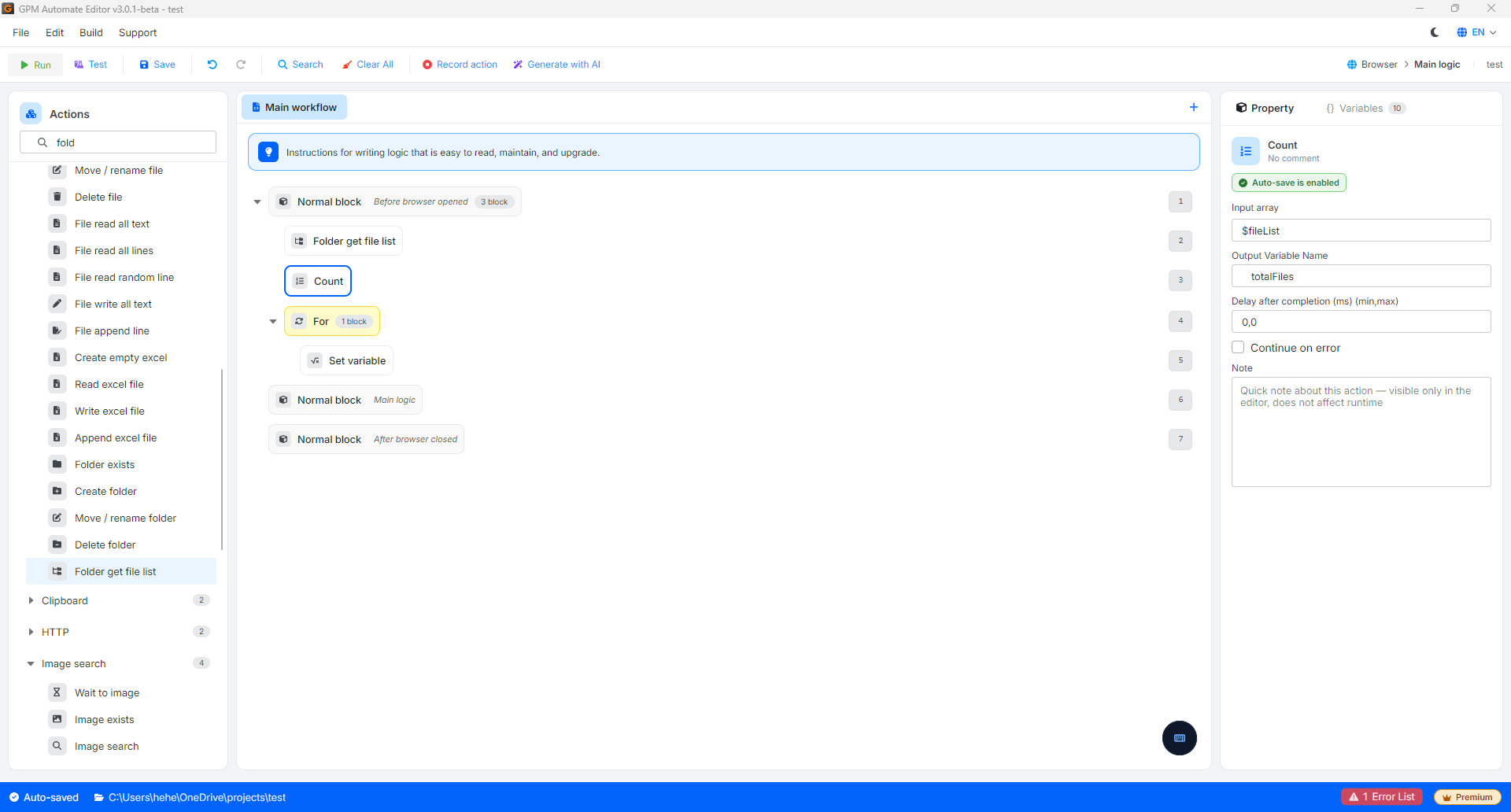
* 第 2 步:使用 Count 操作,传入刚刚获取的数组 `$fileList`,并将输出变量(Output variable)命名为 `$totalFiles`。
运行完成后,变量 `$totalFiles` 将获得值 `3`。您可以使用此结果来运行条件语句块(例如:如果文件夹中的文件数量大于 0,才执行将图片上传到 Facebook/Website 的操作)。
#### 3. 统计字符串拆分后(Split text)的元素数量
当您有一个包含多个信息、以特殊字符分隔的长字符串,并想知道拆分后会得到多少个元素时:
* 做法:使用 Split text 操作根据字符 `|` 拆分该字符串后,让 Count 操作处理刚刚拆分出的列表。此时计数变量的返回结果将为 `6`。
#### 实际示例:统计使用 Split text 后字符串的元素数量
假设您有一个配置文件或一行数据,包含按竖线 `|` 分隔的账号信息,格式如下:
```
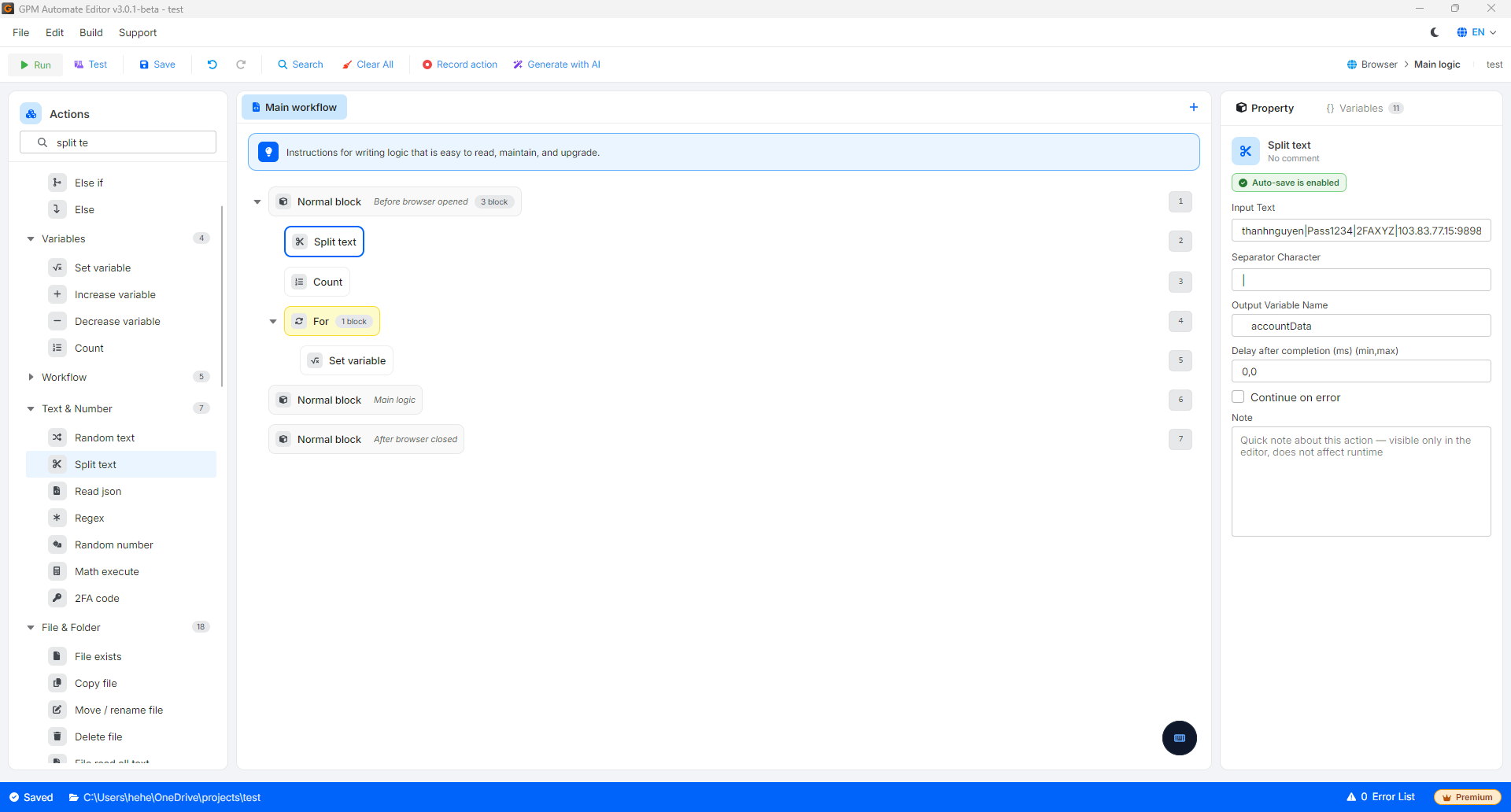
thanhnguyen|Pass1234|2FAXYZ|103.83.77.15:9898
```
为了统计该字符串中有多少个组成信息,以便检查账号信息的有效性,脚本将通过 2 个步骤配置:
* 第 2 步:使用 Split text 操作,根据分隔字符 `|` 拆分上述字符串。返回的结果将被保存到一个名为 `$accountData` 的数组中。此时系统将自动把数据拆分为:
* `$accountData[0]` = `"thanhnguyen"`(账号)
* `$accountData[1]` = `"Pass1234"`(密码)
* `$accountData[2]` = `"2FAXYZ"`(2FA 加密代码)
* `$accountData[3]` = `"103.83.77.15:9898"`(Proxy)
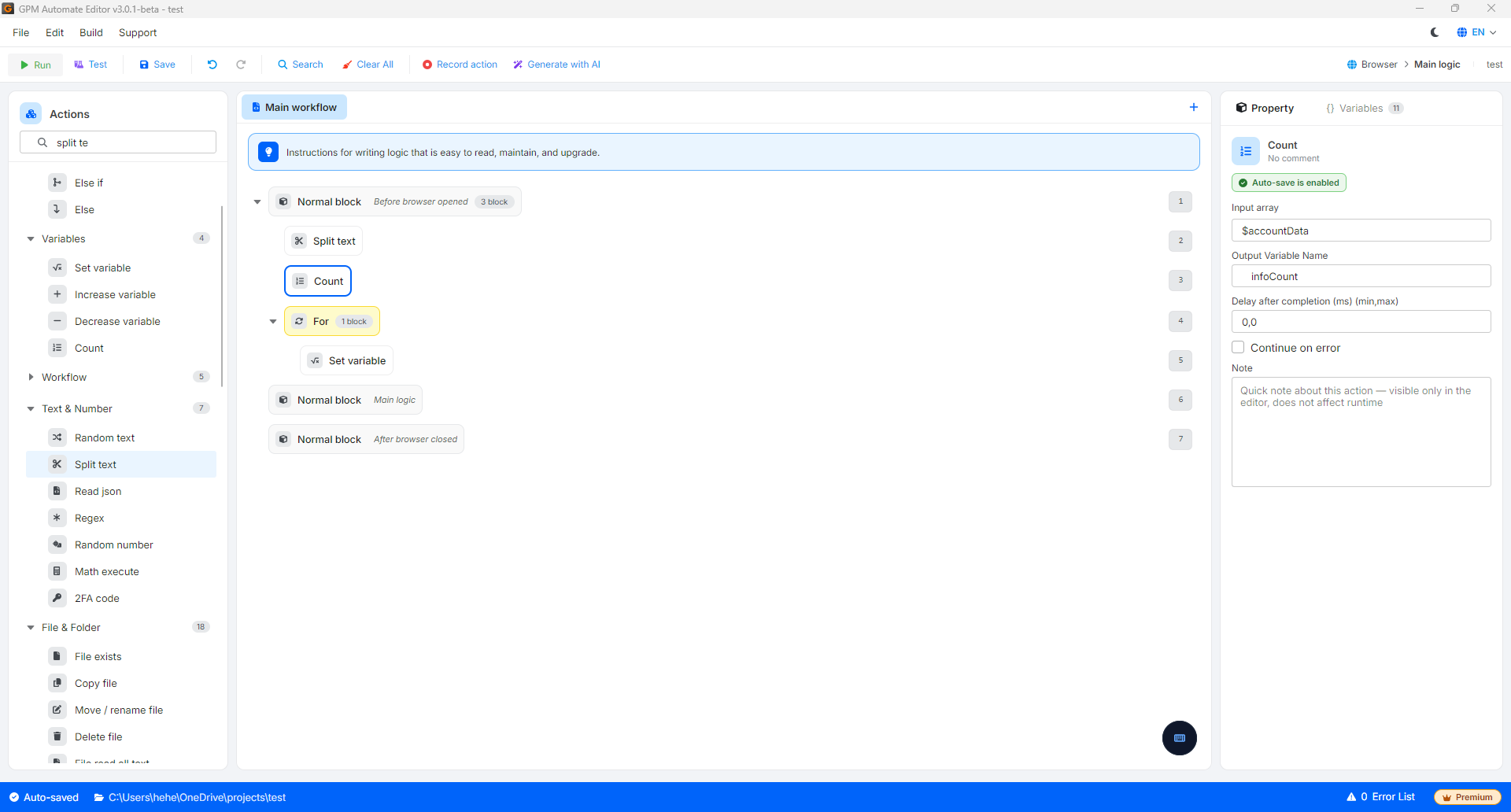
* 第 2 步:使用 Count 操作,传入刚刚拆分出的数组 `$accountData`,并将输出变量(Output variable)命名为 `$infoCount`。
运行完成后,变量 `$infoCount` 将获得值 `4`。您可以将此结果与 If 语句块结合使用进行检查(例如:如果 `$infoCount = 4`,即账号信息结构完整,才继续运行登录脚本,反之则跳过以避免出错)。
---
# Agent Instructions
This documentation is published with GitBook. GitBook is the documentation platform designed so that both humans and AI agents can read, navigate, and reason over technical content effectively. Learn more at gitbook.com.
## Querying This Documentation
If you need additional information that is not directly available in this page, you can query the documentation by asking a question.
Perform an HTTP GET request on the following URL with the `ask` and `goal` query parameters:
```
GET https://docs.gpmautomate.com/automate-zh/action-shi-yong-zhi-nan/variables/count.md?ask=&goal=
```
`ask` is the immediate question: it should be specific, self-contained, and written in natural language.
`goal` is what the user is ultimately trying to achieve, the reason they need the answer. Sharing it helps GitBook give you a better, more relevant answer. A goal is most helpful when it describes the outcome the user wants rather than restating the question. For example, with `ask=how do I create an API token`, a goal like `automate deployments from our CI pipeline` lets GitBook tailor the answer to that use case.
The response will contain a direct answer to the question and relevant excerpts and sources from the documentation.
Use this mechanism when the answer is not explicitly present in the current page, you need clarification or additional context, or you want to retrieve related documentation sections.