> For the complete documentation index, see [llms.txt](https://docs.gpmautomate.com/llms.txt). Markdown versions of documentation pages are available by appending `.md` to page URLs; this page is available as [Markdown](https://docs.gpmautomate.com/automate-zh/gai-shu/setup-configuration-to-run-script/5-schedule-scenario-execution.md).
# 5. Schedule(脚本运行定时设置)
此功能对于那些想要让工具 24/7 自动运行而不需要手动盯着点击的用户来说非常实用。
🎥 查看更多操作视频教程:[点击这里](https://youtu.be/C8Kf-d9_-sw)。
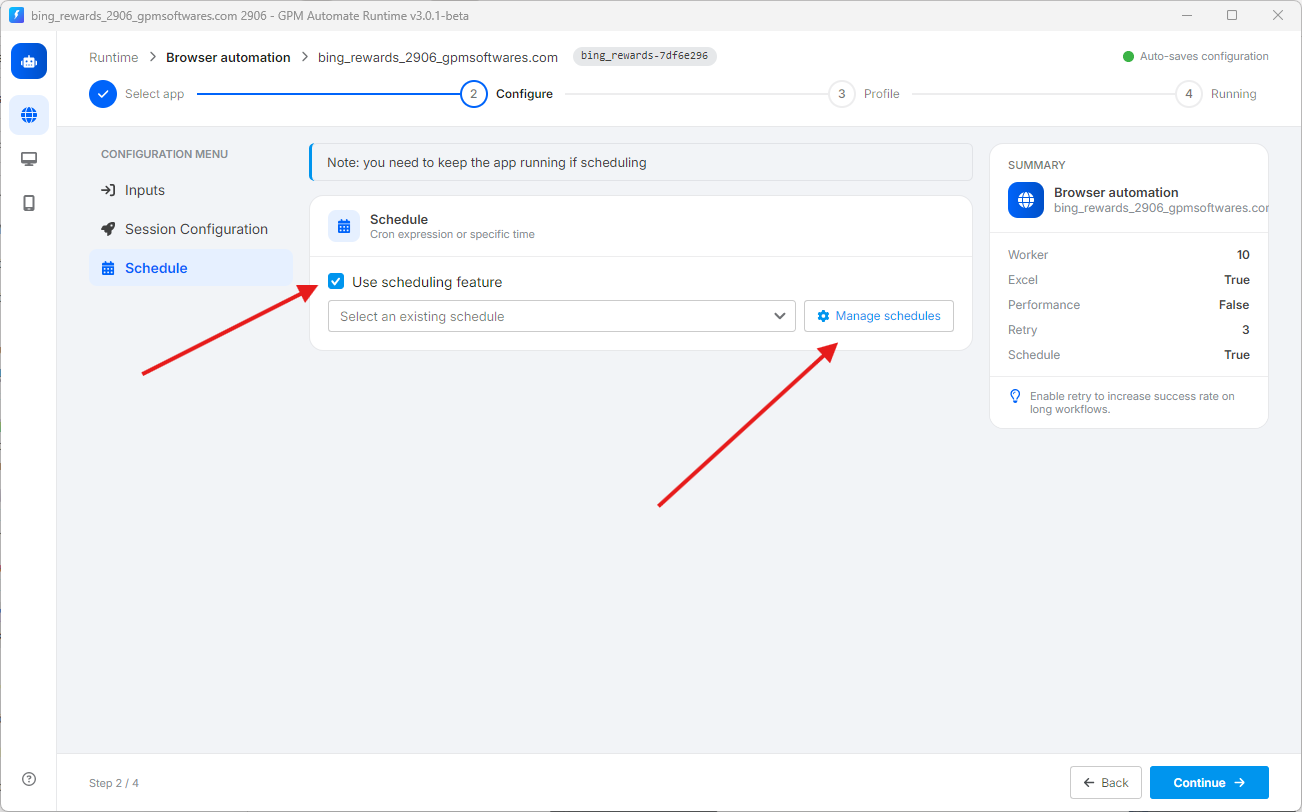
要使用该功能,请勾选 Use scheduling feature 选项(如下图所示)。
> ⚠️ 重要提示:您必须始终保持 GPM Automate Runtime 软件处于开启状态,定时功能才能生效。如果关闭软件,定时任务将不会运行。
要创建和管理运行时间段,请点击 `⚙️ Manage schedules` 按钮。系统将允许您根据需求设置两种主要的定时方式:
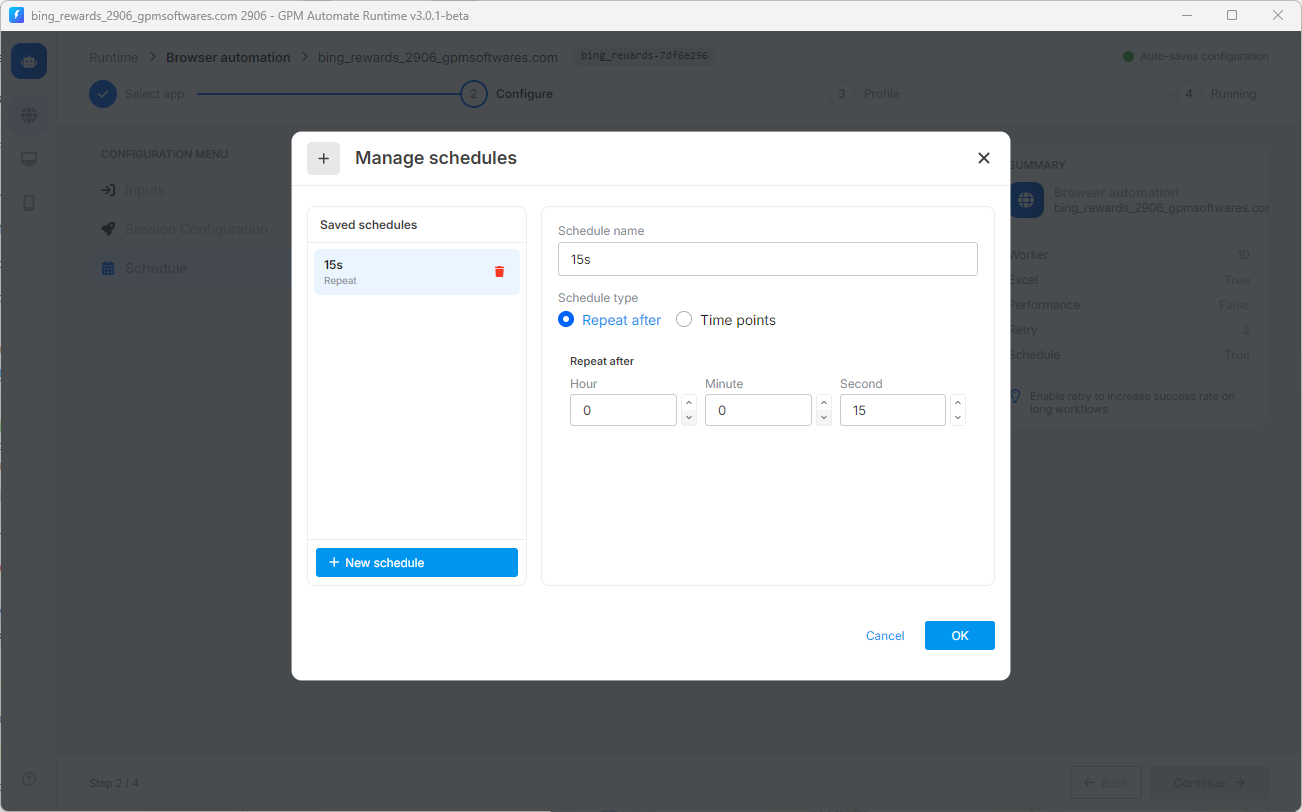
**🔄 类型 1:Repeat after(每隔一段时间循环运行)**
* 运作方式:工具将在您设置的每个时间间隔(时 - 分 - 秒)后自动重新运行脚本。
* 实际示例:如图所示,名为 `15s` 的计划在 Second 项中设置为 `15`。这意味着每隔 15 秒,工具就会自动触发重新运行脚本一次。
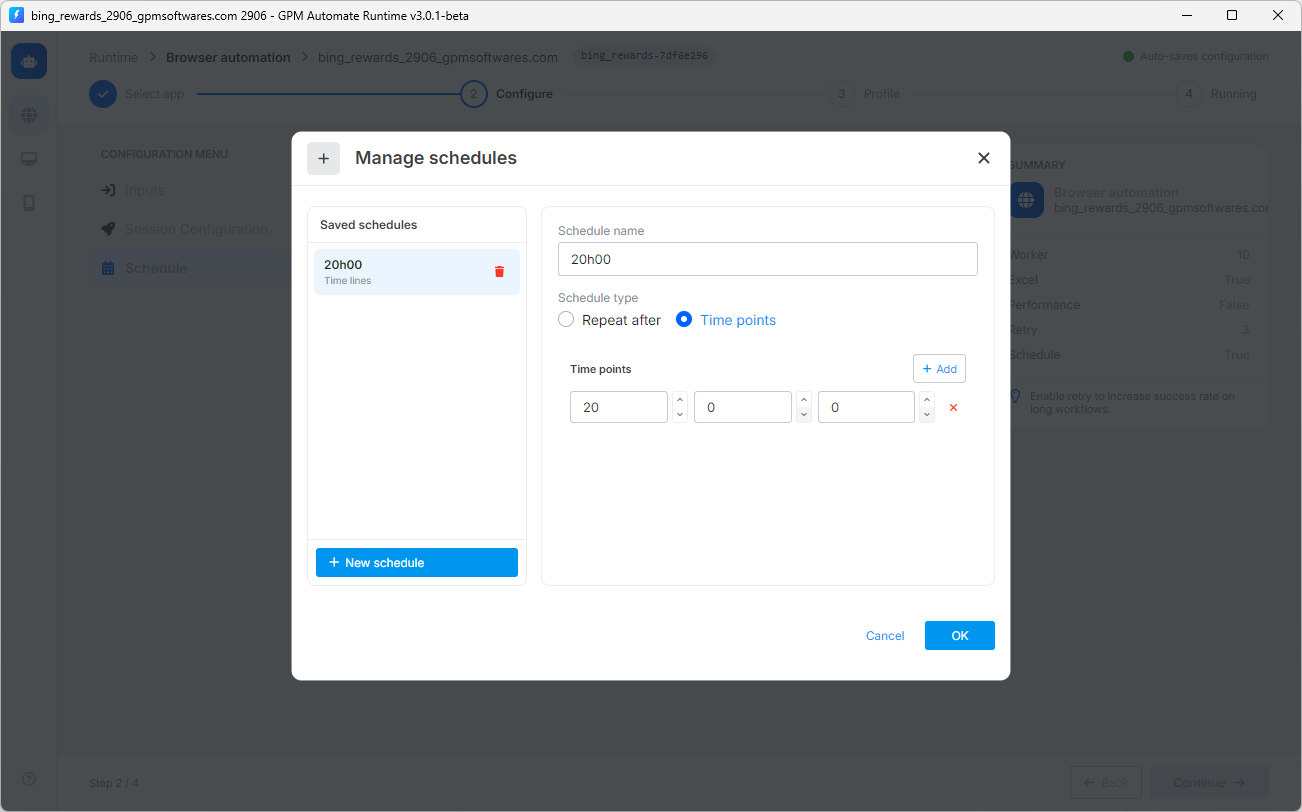
**📍 类型 2:Time points(在固定时间点运行)**
* 运作方式:工具将精确对准您在一天中设置的具体时间点,自动启动运行。您可以点击 `+ Add` 按钮来添加多个不同的时间点。
* 实际示例:如图所示,名为 `20h00` 的计划设置的时间点为 `20 : 0 : 0`。这意味着每天正好到 20 点 00 分时,工具将自动打开运行。
---
# Agent Instructions
This documentation is published with GitBook. GitBook is the documentation platform designed so that both humans and AI agents can read, navigate, and reason over technical content effectively. Learn more at gitbook.com.
## Querying This Documentation
If you need additional information that is not directly available in this page, you can query the documentation dynamically by asking a question.
Perform an HTTP GET request on the current page URL with the `ask` query parameter, and the optional `goal` query parameter:
```
GET https://docs.gpmautomate.com/automate-zh/gai-shu/setup-configuration-to-run-script/5-schedule-scenario-execution.md?ask=&goal=
```
`ask` is the immediate question: it should be specific, self-contained, and written in natural language.
`goal` is optional and describes the broader end goal you are ultimately trying to accomplish on behalf of the user. GitBook uses it to tailor the answer towards what is most useful for that goal.
The response will contain a direct answer to the question and relevant excerpts and sources from the documentation.
Use this mechanism when the answer is not explicitly present in the current page, you need clarification or additional context, or you want to retrieve related documentation sections.