> For the complete documentation index, see [llms.txt](https://docs.gpmautomate.com/llms.txt). Markdown versions of documentation pages are available by appending `.md` to page URLs; this page is available as [Markdown](https://docs.gpmautomate.com/automate-zh/gai-shu/test-action-guide.md).
# 🛠️Test action 指南(测试)
测试(Test)是控制脚本运行流程的重要步骤,它允许您逐步或逐个代码块(Block)运行,以确保在正式运行前一切按预期运作。
🎥 查看更多视频教程:[点击这里](https://youtu.be/zrX3ldxvEDE)。
### 🎯 为什么需要 Test action?
* 错误控制:在执行操作时立即发现并处理问题,而不必从头运行整个脚本。
* 灵活调整:您可以将单个操作或代码块(Block)单独隔离出来进行测试,从而缩短调试时间。
* 边做边测:GPM Automate 支持直接在 GPM Login 的 Profile 上进行测试的机制,让您可以立即在浏览器上观察结果。
> 注意:目前 Test 功能仅支持 GPM Login 中的 Profile。
### ⚙️ 测试执行流程
要开始测试流程,请按照以下步骤操作:
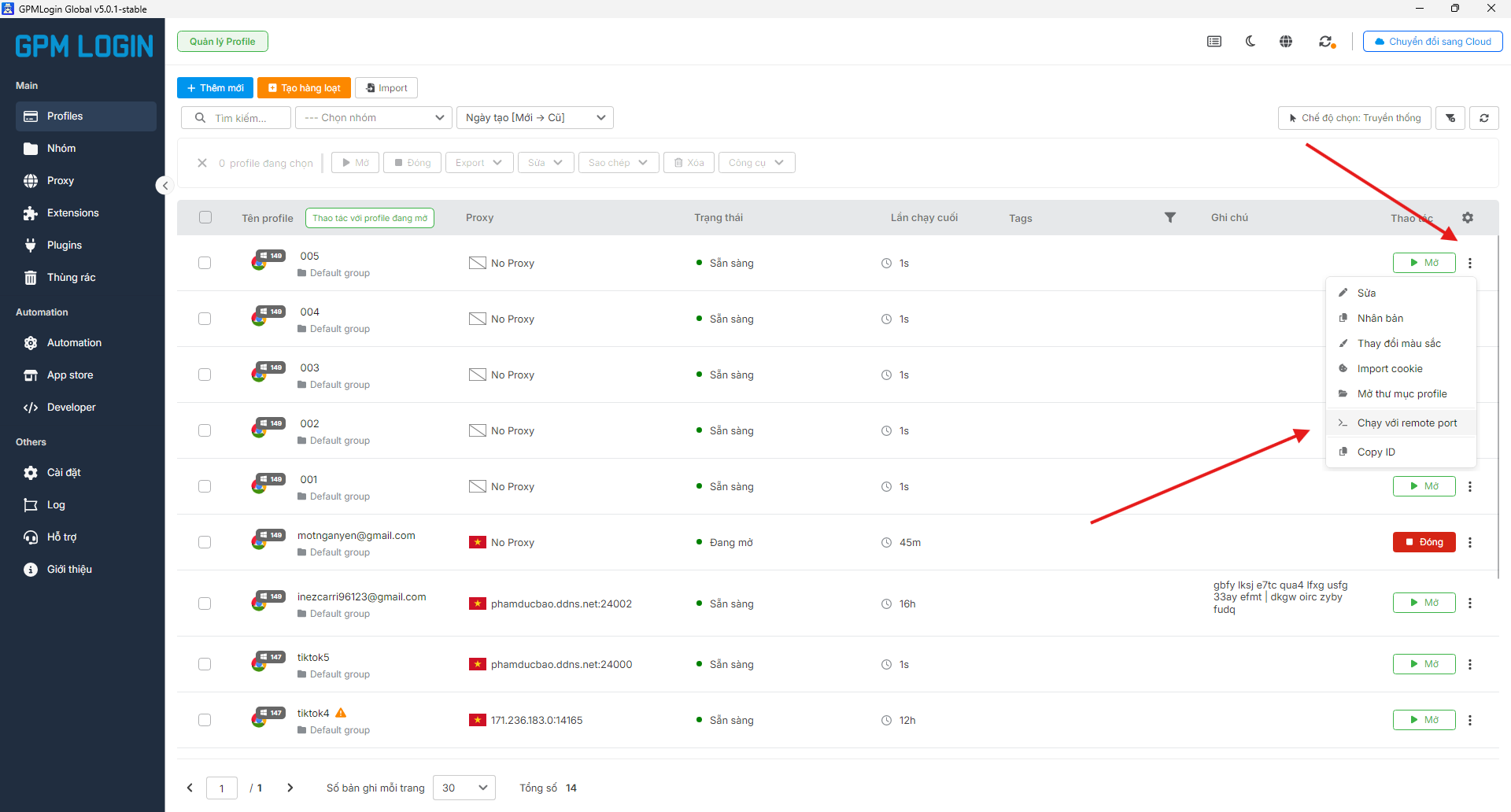
#### 1️⃣ 步骤 1:在 GPM Login 中配置 Profile
* 打开 GPM Login。
* 找到您想用于测试的 Profile。
* 点击 Profile 名称旁边的三个点图标。
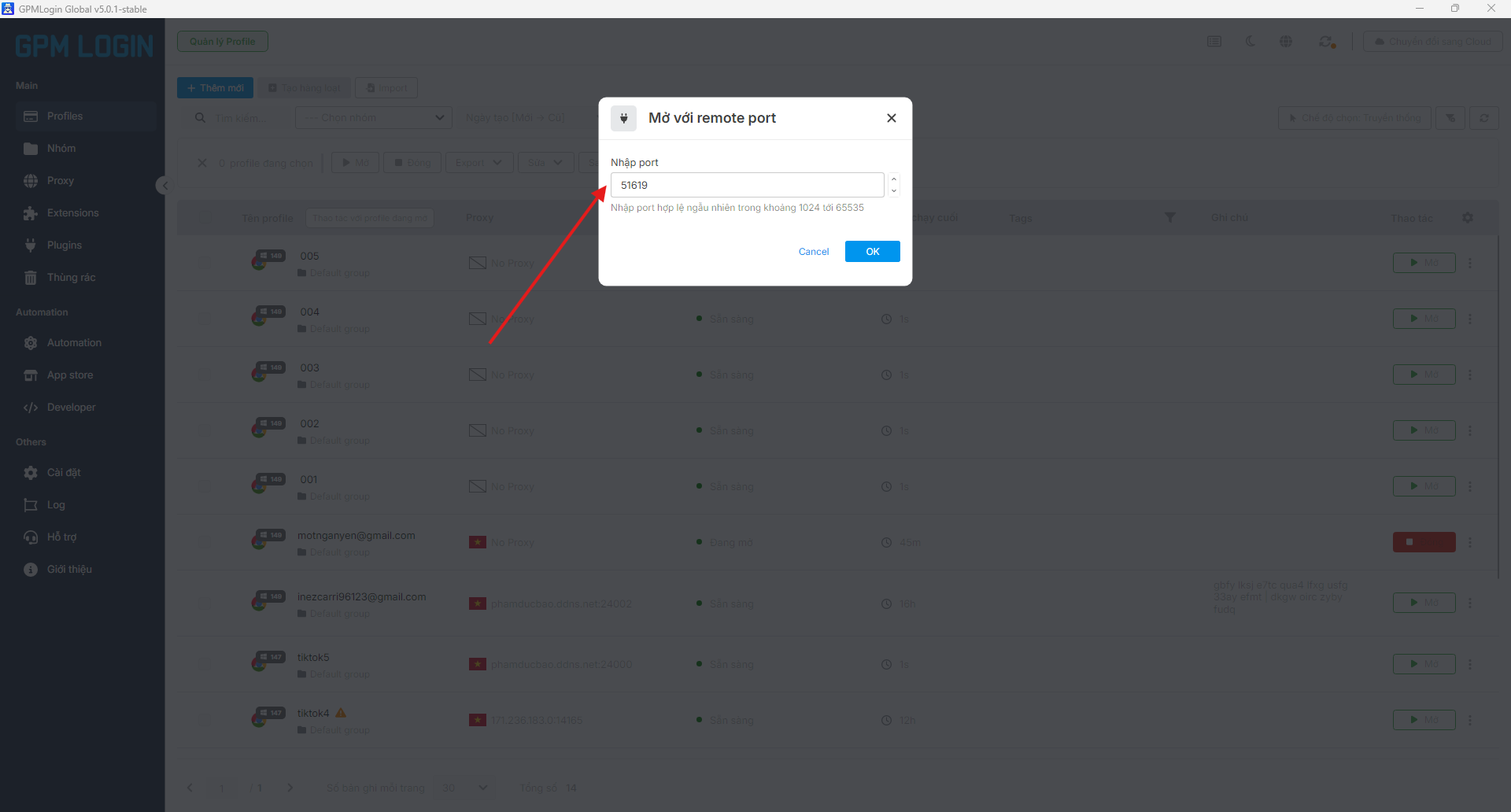
* 选择“使用远程端口运行”以获取控制端口参数。
#### 2️⃣ 步骤 2:在 GPM Automate 中设置
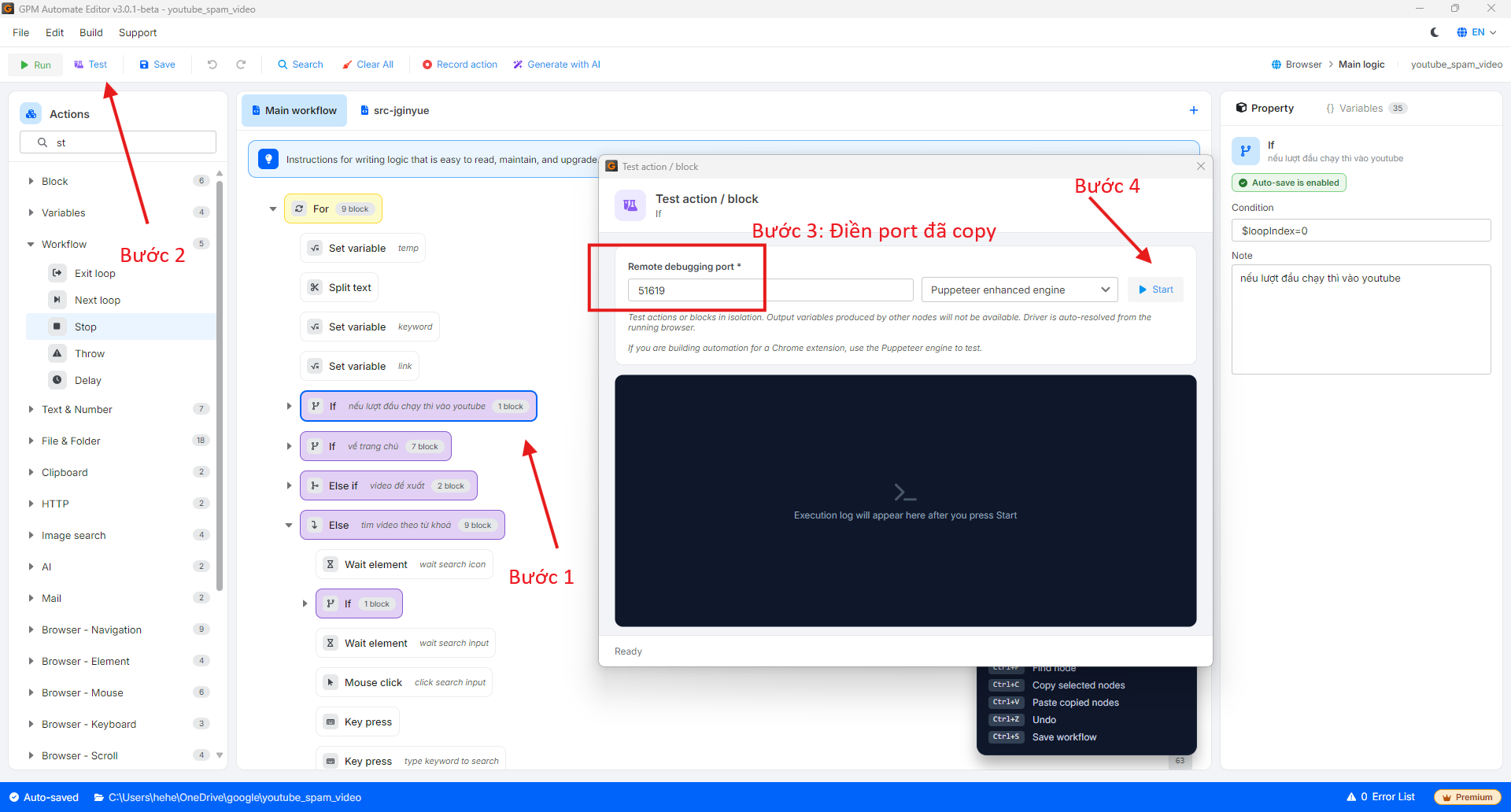
* 在 GPM Automate 界面中,选择您想要测试的命令(Action)或代码块(Block)。
* 在上方的工具栏中,点击 Test 按钮。
* 会弹出一个 Test 配置对话框。
* 将步骤 1 中从 GPM Login 获取到的 Port(端口)输入到相应的字段中。
* 点击 Start 开始测试。
#### 3️⃣ 步骤 3:观察结果
* 点击 Start 后,系统会在所选的 Profile 上执行命令。
* 您可以在浏览器窗口以及 GPM Automate 的日志(Log)中实时查看结果,以便根据需要调整脚本。
---
# Agent Instructions
This documentation is published with GitBook. GitBook is the documentation platform designed so that both humans and AI agents can read, navigate, and reason over technical content effectively. Learn more at gitbook.com.
## Querying This Documentation
If you need additional information that is not directly available in this page, you can query the documentation dynamically by asking a question.
Perform an HTTP GET request on the current page URL with the `ask` query parameter, and the optional `goal` query parameter:
```
GET https://docs.gpmautomate.com/automate-zh/gai-shu/test-action-guide.md?ask=&goal=
```
`ask` is the immediate question: it should be specific, self-contained, and written in natural language.
`goal` is optional and describes the broader end goal you are ultimately trying to accomplish on behalf of the user. GitBook uses it to tailor the answer towards what is most useful for that goal.
The response will contain a direct answer to the question and relevant excerpts and sources from the documentation.
Use this mechanism when the answer is not explicitly present in the current page, you need clarification or additional context, or you want to retrieve related documentation sections.